Reports: see exactly what to revise next
Without tracking revision, you’re going to lose track of what topics you need to go back over. The Study Dog platform has a built in Reports feature that tells you what to focus on, alongside weekly emails to help you achieve your target grade.



- Trusted by 3,000+ students
About Reports from Study Dog
Reports are built into the Study Dog platform and start collecting from day one. You can see exactly where you need to focus your revision broken down by topic. Enhanced data collection means your quiz results and lesson completions help to build a profile about your revision habits.
Reports are so important because they give you a look into your progression. Say goodbye to manually looking back over notes and quiz results.
The feature works hand-in-hand with the progress tracking built into the courses on our platform. You can see which lessons and quizzes are ticked off. You can even untick them if you want to go back over topics.
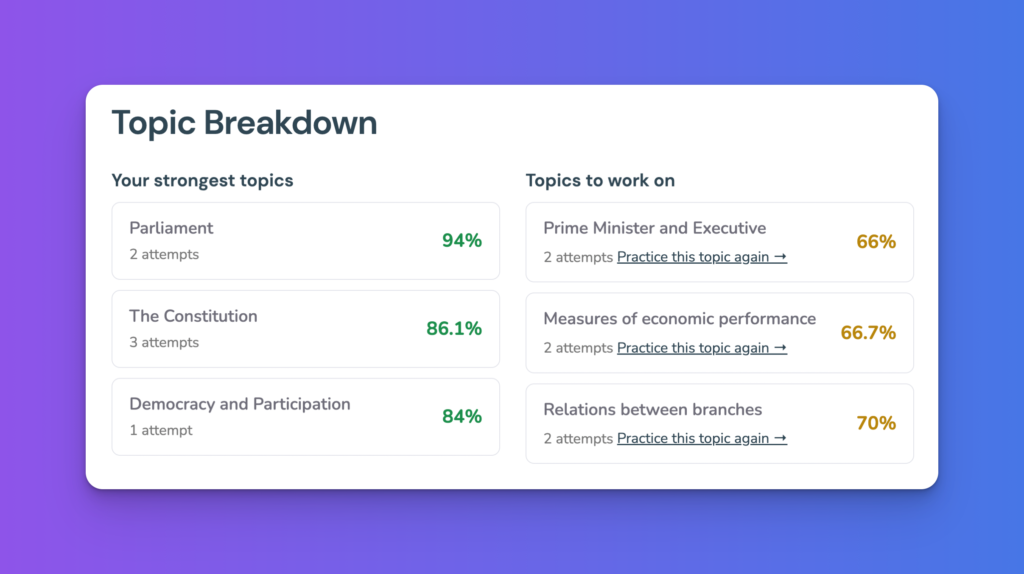
Get a breakdown of your top-performing topics, and those that need a little extra practice.
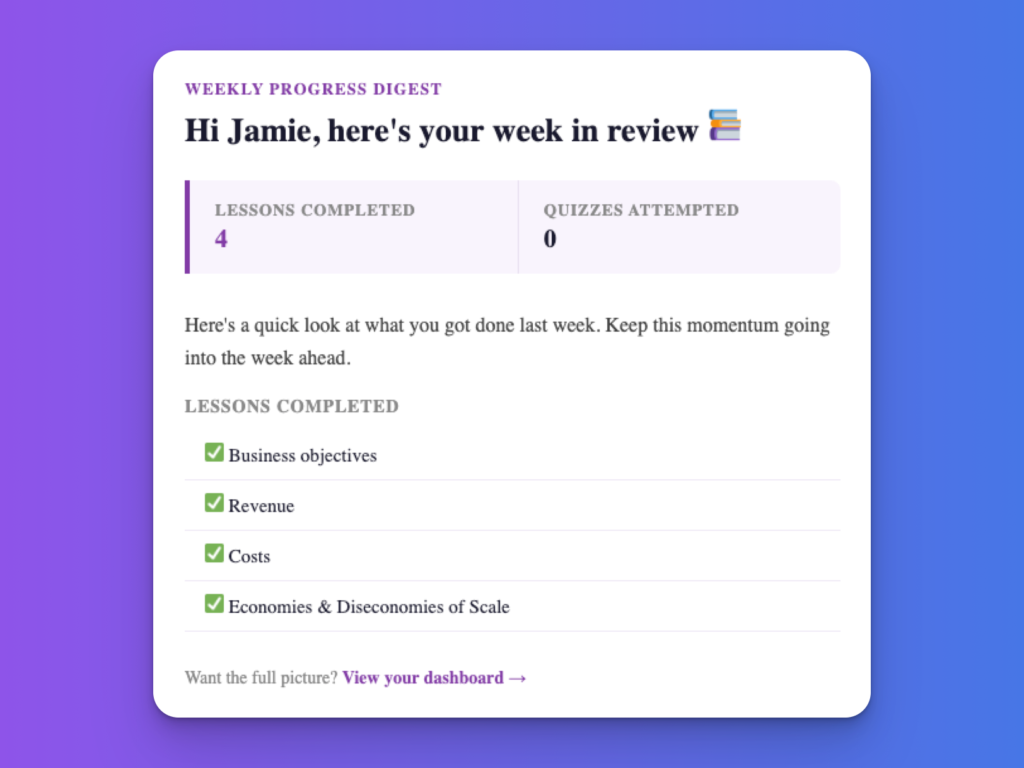
Sign up to weekly digest emails to see what you’ve covered in the past week and keep you on track.
Why use Reports with Study Dog?
Know what to revise
We use your quiz results and lesson progress to tell you exactly where to focus your revision.
Weekly digests
Every Monday at 8am, you'll receive an email from us with your progress over the last week.
Understand progress
See which topics are incomplete with a breakdown of in progress and completed courses.
Start your free trial now
With Reports and many more features included, become a Study Dog member today. You can get instant access and unlock your A* potential in your A Level studies right away!
All Memberships Include:
- Badges and Points
- Course Notes
- Multimedia Resources
- Personal Reports
- Interactive Simulators
- StudyBot AI Tutor
- and more!